Replace Doomscrolling
with Real Progress
GoalyScrolly blocks your most distracting apps until you complete your daily goals. Set goals, stay focused, and take back your time.
Today's Goals
UNLOCKED
How It Works
Three Steps to
Digital Freedom
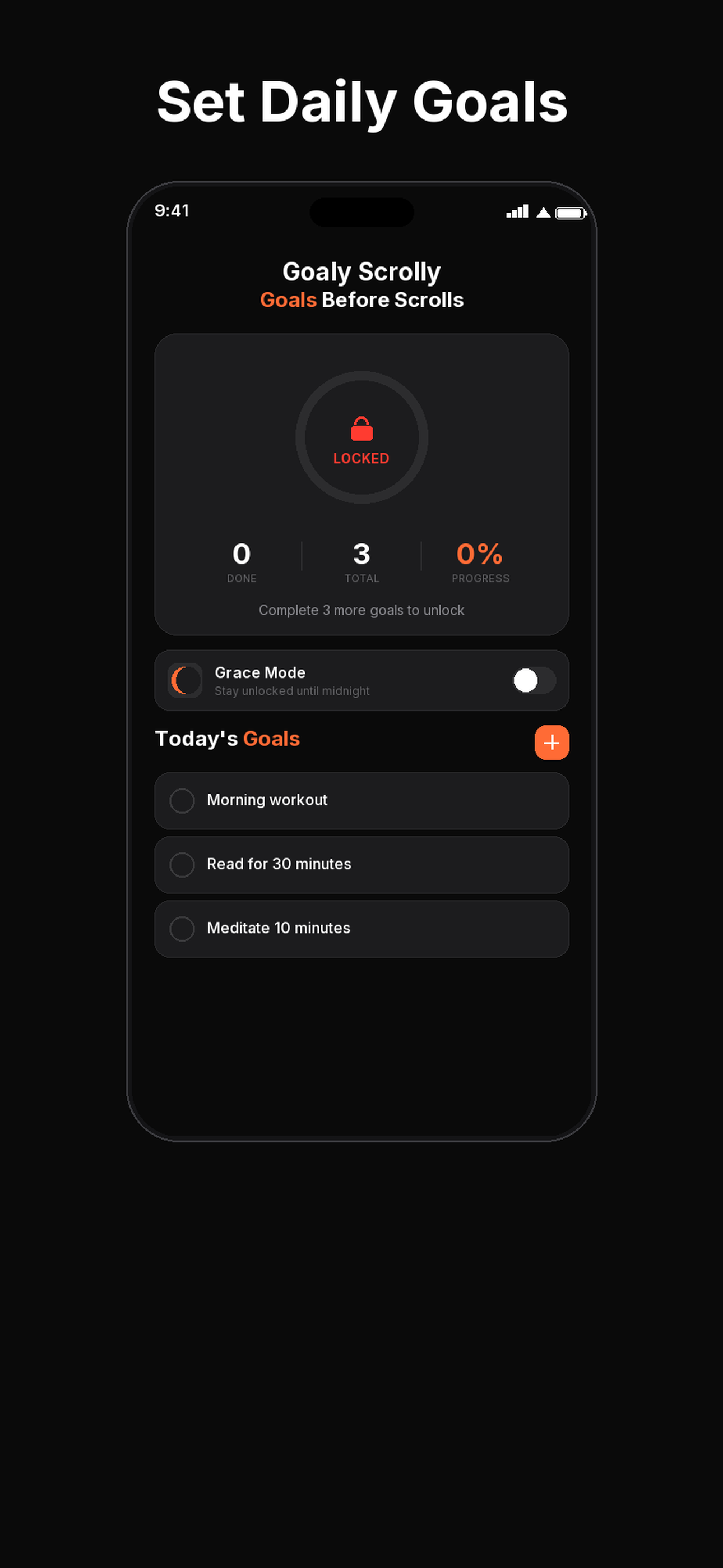
Set Your Goals
Add up to 10 daily goals. Read, exercise, meditate, or anything that matters to you.
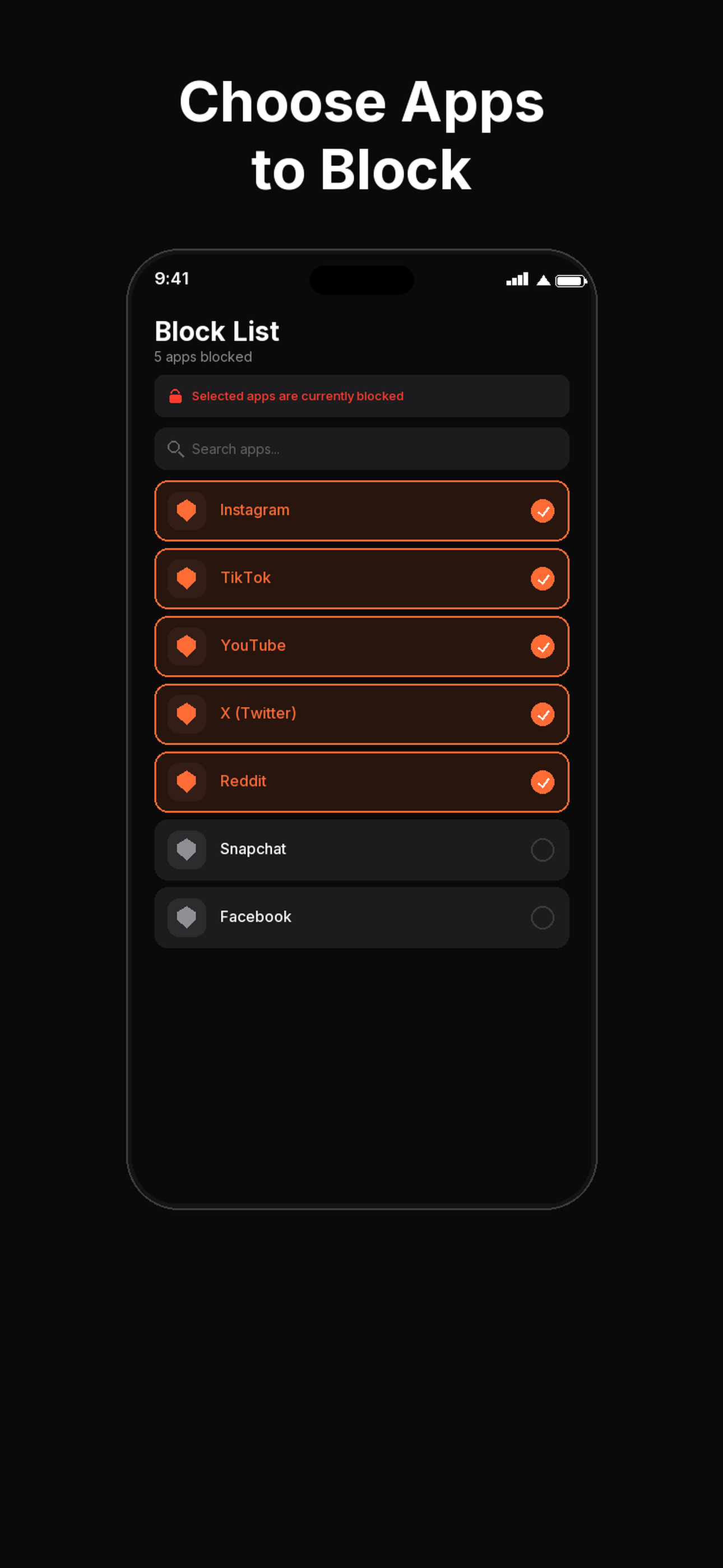
Block Distractions
Choose which apps to block. Instagram, TikTok, YouTube, Twitter, and more.
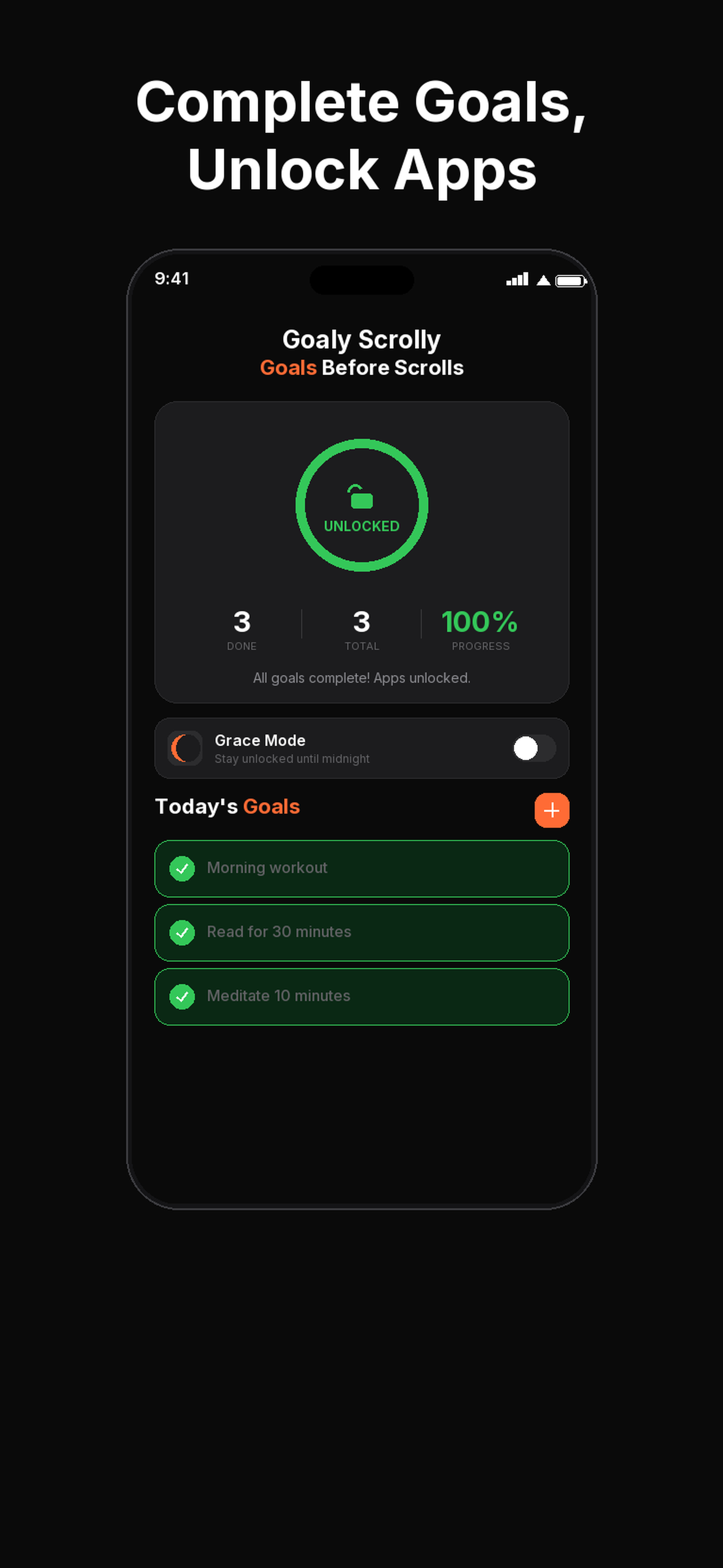
Earn Your Scroll
Complete all goals to unlock your apps. Stay focused and build real habits.
Features
Everything You Need to
Stay Focused
OS-Level Blocking
Uses Apple's native Screen Time API to actually block apps at the system level on iOS.
Emergency Override
Need urgent access? Type a commitment phrase to unlock for 10 minutes. Limited to 2 uses per day.
Grace Mode
Complete your goals and stay unlocked until midnight. No pressure, just reward for doing the right thing.
Smart Reminders
Configurable bedtime notifications remind you to complete your goals before the day ends.
14-Day History
Track your streaks and progress over the past two weeks. See how your focus improves day by day.
Privacy First
All data stored locally on your device. No accounts, no tracking, no data sent to servers. Your goals are yours.
Why Goaly Scrolly
Why People Choose
Goaly Scrolly
Blocking That Actually Works
Built on Apple's native Screen Time API, so distracting apps are blocked at the system level, not behind a flimsy reminder you can swipe away.
Goals Before Scrolls
Earn your screen time by finishing what matters first. A simple, proven model that turns scrolling into a reward instead of a reflex.
Private by Design
No accounts, no tracking, no servers. Everything stays on your device, so your goals and habits are yours alone.
Set Up in Minutes
Pick your goals, choose the apps to block, and you are ready. No complicated configuration, no learning curve.
FAQ
Frequently Asked Questions
GoalyScrolly uses Apple's native Screen Time API (the FamilyControls framework) to block apps. This means apps are truly blocked at the system level on your iPhone until you complete your goals.
Yes. All your data (goals, blocked apps, history) is stored locally on your device. We don't have user accounts, don't track your behavior, and don't send any data to our servers. Your productivity journey is completely private.
You can block popular social media and entertainment apps including Instagram, TikTok, YouTube, Twitter/X, Snapchat, Reddit, Facebook, Netflix, Twitch, Discord, Pinterest, and Threads. We're always adding more.
GoalyScrolly includes an Emergency Override feature. You need to type the phrase "I choose distraction" to unlock apps for 10 minutes. This is intentionally friction-heavy to prevent impulsive use, and limited to 2 overrides per day.
GoalyScrolly is available exclusively on iPhone via the App Store. It relies on Apple's Screen Time (FamilyControls) framework to block apps at the system level.
GoalyScrolly offers a 3-day free trial so you can experience the full app. After that, plans start at $9.99/month or $59.99/year (save over 50%). We also offer a $149 lifetime access option for dedicated users.
Ready to Take Back
Your Time?
Start your free 3-day trial. No commitment, cancel anytime.